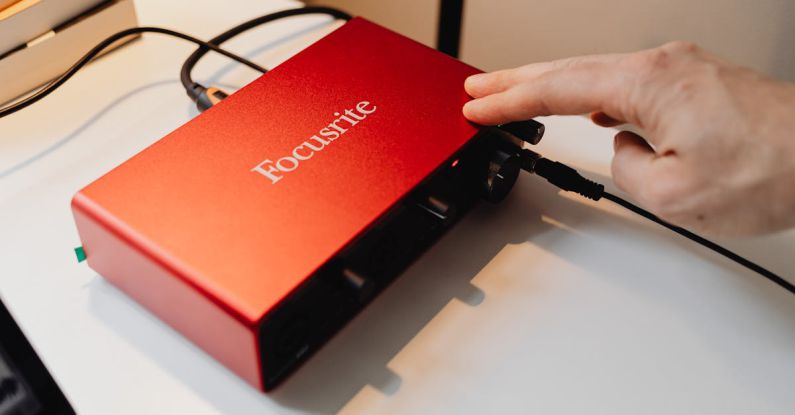
As you embark on setting up your home studio, one of the most crucial decisions you will make is choosing the right audio interface. An audio interface serves as the bridge between your instruments, microphones, and speakers, and your computer, allowing you to record and playback high-quality audio. With a plethora of options available in the market, selecting the perfect audio interface can be overwhelming. Here are some key factors to consider to ensure you choose the best one for your home studio setup.
Understanding Your Needs
Before diving into the sea of audio interfaces, it’s essential to understand your specific needs and requirements. Consider the type of music you will be recording, the number of inputs and outputs you need, and the quality of audio you aim to achieve. If you are a solo musician recording vocals and acoustic instruments, a simple two-channel interface might suffice. However, if you plan to record a full band or multiple instruments simultaneously, you’ll need an interface with more inputs and preamps.
Connection Type
Audio interfaces come with different connection types, including USB, Thunderbolt, FireWire, and PCIe. USB interfaces are the most common and budget-friendly option, offering plug-and-play convenience. Thunderbolt interfaces provide faster data transfer speeds, ideal for professional studios working with large track counts and high sample rates. FireWire interfaces, although less common today, are known for their low latency and reliable performance. PCIe interfaces are designed for desktop computers and offer high-speed connectivity for demanding audio tasks.
Preamp Quality
The quality of preamps in an audio interface plays a significant role in capturing clean and detailed audio recordings. Preamps amplify the signal from microphones and instruments before converting them into digital audio. Higher-end interfaces often feature premium preamps that deliver better sound quality and less noise. If you prioritize pristine audio capture, investing in an interface with high-quality preamps is crucial.
Sample Rate and Bit Depth
Sample rate and bit depth are essential specifications to consider when choosing an audio interface. The sample rate determines the number of samples taken per second during recording, while the bit depth determines the resolution of each sample. Higher sample rates and bit depths result in better audio quality and more dynamic range. Most modern interfaces support sample rates of 44.1kHz, 48kHz, 88.2kHz, 96kHz, and higher, with 24-bit or 32-bit depth options.
Compatibility
Ensure that the audio interface you choose is compatible with your recording software and operating system. Most interfaces are designed to work seamlessly with popular DAWs (Digital Audio Workstations) like Pro Tools, Logic Pro, Ableton Live, and others. Additionally, check if the interface is compatible with your computer’s operating system, whether it’s Windows, macOS, or Linux. Compatibility issues can lead to frustrating technical challenges that hinder your recording process.
Portability and Expandability
If you plan to record on the go or collaborate with other musicians outside your home studio, consider the portability of the audio interface. Compact and lightweight interfaces are ideal for mobile setups and live performances. Additionally, think about the expandability of the interface. Some interfaces allow you to add more inputs and outputs through ADAT or S/PDIF connections, providing flexibility for future studio upgrades.
Budget Considerations
While it’s tempting to splurge on a high-end audio interface with all the bells and whistles, it’s essential to consider your budget constraints. Determine how much you are willing to invest in an audio interface and prioritize features that align with your recording needs. Remember that a more expensive interface does not always guarantee better results, so choose a model that offers the best value for your money.
Testing and Research
Before making a final decision, research different audio interfaces, read reviews from other users, and watch video demonstrations to get a better sense of their performance. If possible, test the interfaces in person at a music store or studio to experience their sound quality and usability firsthand. Pay attention to factors like latency, driver stability, and overall build quality to ensure you are making an informed choice.
Conclusion: Making the Right Choice
Choosing the right audio interface for your home studio is a crucial step in achieving professional-quality recordings. By understanding your specific needs, considering connection types, preamp quality, sample rate, compatibility, portability, expandability, budget, and conducting thorough research, you can make an informed decision that suits your recording requirements. Remember that the best audio interface is the one that complements your workflow, inspires creativity, and helps you capture your musical ideas with clarity and precision.